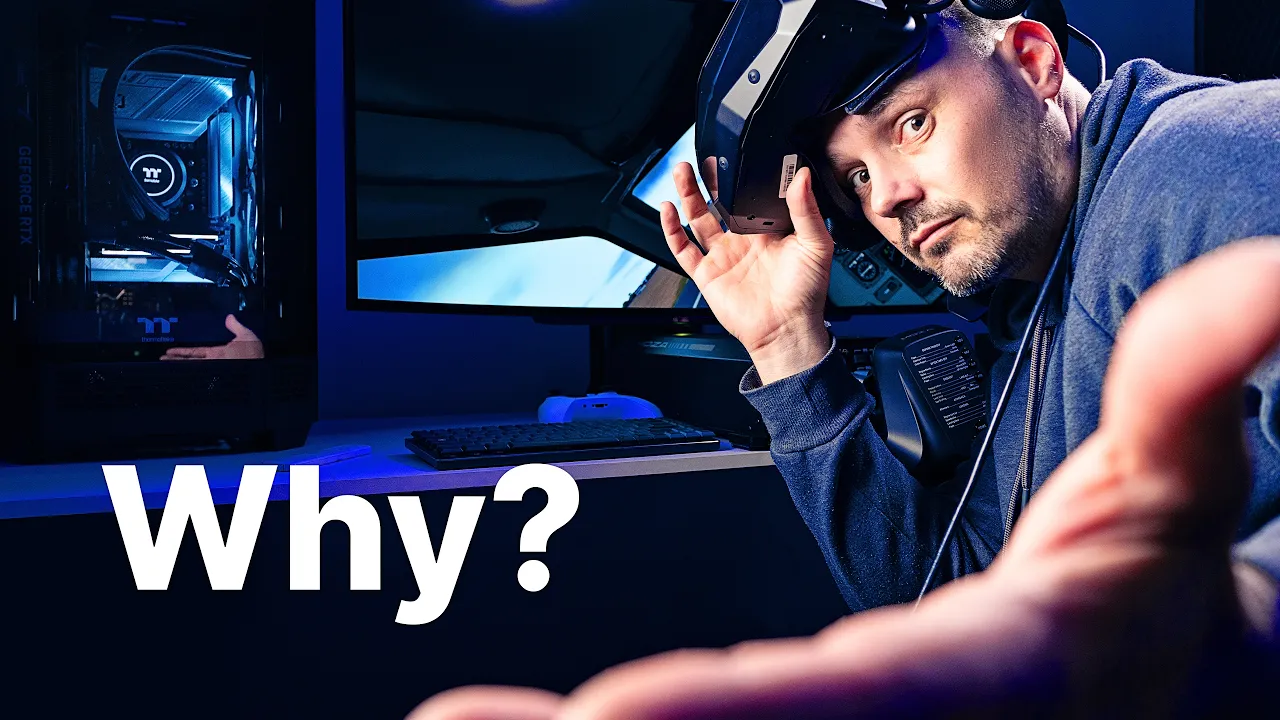
The Best VR Headset for Real Flight Simulation?

Steve | G-LOC MEDIA
Flight simulation enthusiast and YouTuber
The Pimax Crystal Super OLED is the best VR headset for serious flight simulation right now - the cockpit readability is genuinely in a different league, the OLED panels deliver deep blacks that transform low light flying, and the larger sweet spot makes it significantly less fatiguing over long sessions than the Ultra Wide. You need a 4090 level PC to drive it properly and the Pimax Dream Air using the same panels in a much smaller form factor complicates the buying decision. But for the serious simmer who wants to read every instrument, interact with every panel, and fly for hours without eye fatigue, the Crystal Super OLED might just be the best you can get at this point in time.
Pros
- Cockpit readability is in a different league to most VR headsets for flight simulation
- OLED panels deliver deep clean blacks that QLED modules simply cannot match
- Much larger sweet spot than the Ultra Wide, significantly less head movement required
- Noticeably less eye fatigue over long flight sim sessions compared to the Ultra Wide
- Better binocular overlap makes extended sessions more comfortable
- Fine avionics text, EFB, MFD and panel labels all legible without straining
- OLED contrast transforms night and dusk flying in MSFS and DCS
- Module is lighter than the Ultra Wide
- Works brilliantly for serious cockpit interaction in both MSFS and DCS
Cons
- Requires a 4090 level PC to drive it properly at the resolution needed for readability
- FOV is noticeably narrower than the Ultra Wide
- Existing prescription lens inserts from other Pimax headsets will not fit
- HonsVR lenses appear to be the only compatible prescription option currently available
- The Pimax Dream Air uses the same panels in a much smaller lighter form factor making this a harder sell
- Distant aircraft contacts in DCS still difficult to identify without labels
- Must run at 80% resolution or above to get full cockpit readability benefits
- Significant price premium over the Crystal Light and Meta Quest 3
There's something I rarely hear people talk about when it comes to using a VR headset for flight simulation. And it's arguably the most important consideration depending on how you actually use the sim. It all comes down to resolution, lenses, and the sweet spot - and recent time at both ends of the VR spectrum has made this clearer than ever.
Jumping from the PSVR2 to the Pimax Crystal Super OLED, something became immediately obvious. There are two things this headset allows you to do in flight simulation that most other headsets simply cannot. One - you can glance at your avionics while keeping your attention on what's happening outside. Two - you can actually read the avionics and the fine details on the panels. That combination is genuinely a game changer for a certain type of flight simmer.
Two Types of Flight Simmers - Which One Are You?
Before spending serious money on the Pimax Crystal Super OLED for flight simulation you need to be honest about which camp you fall into.The first is the simmer who flies around, enjoys the scenery, and does the occasional landing challenge. VR is fantastic for this and a more affordable headset will serve you brilliantly.
The second is the serious simmer who wants to genuinely interact with the aircraft and its systems — reading the PFD, working the MFD, managing the radios, interacting with the EFB, catching gear transition lights in peripheral vision. This is where the Pimax Crystal Super OLED starts to make real sense for flight simulation, and where cheaper headsets start to fall short in a way that actually matters.
Cockpit Readability - Where the Pimax Crystal Super OLED Stands Apart
This is the headline feature for flight simmers and it's genuinely impressive.In Microsoft Flight Simulator the Nav 1, Nav 2, and COM radio information is perfectly crisp and legible. All the information along the bottom of the PFD - time, transponder, everything across the glare shield - is readable without straining. The labels on the lighting panel, the Hobbs meter, the MFD navigation map, even small EFB text - all of it is accessible in a way that changes how you interact with the simulation.
In a larger commercial aircraft the readability translates just as well. Flight director settings, heading information, flap limits, overhead panel labels, autopilot buttons - all pin sharp from a natural seated position. Some of the far right labelling becomes a stretch but the vast majority of what you need to interact with is completely accessible.
In DCS the story is similar. Running the Pimax Crystal Super OLED at 0.8 full resolution to maintain a reasonable frame rate, every dial and gauge in the P-51 cockpit is clear and readable. The one thing it didn't quite deliver on was completely eliminating the need for aircraft labels at distance - very distant contacts still needed to be fairly close before the shape became defined enough to identify confidently. But inside the cockpit the clarity is exceptional.
OLED Panels - Why They Matter for Flight Simulation
The OLED panels are a standout difference between this and even other Pimax Crystal headsets. The way the Super OLED handles dark areas is stunning - deep, clean blacks that the QLED modules simply cannot match. Flying at dusk, night, or dawn the contrast difference is immediately obvious and makes the experience significantly more immersive. There is a small amount of glare but nothing that was bothersome during testing.Lenses, Sweet Spot and Eye Comfort
The lenses on the Pimax Crystal Super OLED are completely different to those on the Ultra Wide and other Pimax Crystal headsets. The sweet spot is much, much bigger than the Ultra Wide - and that matters more for flight simulation than most people give it credit for. A larger sweet spot means less head movement required to keep things in focus, and significantly less eye fatigue over long sessions.In direct comparison to the Ultra Wide, the Super OLED is noticeably less fatiguing on the eyes. Binocular overlap is better and the overall comfort over hours of flying is meaningfully improved. For flight simulation where sessions can run two hours or more that comfort advantage is real and practical.
Pimax's claim that you can get your eyes closer to these lenses is true - but treat it less as a bonus feature and more as a requirement to get a usable field of view. Once you're positioned correctly the experience is excellent.
One important note - the new lenses mean existing prescription lens inserts from other Pimax headsets will not fit. At time of writing the only compatible prescription lenses found were from HonsVR. Factor that into your total cost if you need them.
FOV Comparison - Super OLED vs Ultra Wide
Coming from the Ultra Wide to the Crystal Super OLED the FOV reduction is noticeable. But given the choice between the two for flight simulation, the OLED wins. The sharpness, the bigger sweet spot, the better binocular overlap, and the superior eye comfort over long sessions make it the better all-round headset for serious flight sim use despite the narrower field of view.PC Requirements - This Is Where It Gets Demanding
The Pimax Crystal Super OLED is a demanding headset. Testing was done on a 4090 with a 7800X3D and 32GB of DDR5 RAM - and even on that system the headset was run at 0.8 resolution in DCS to maintain acceptable frame rates. You need to be running at 80% resolution or above to get the cockpit readability benefits that make this headset worth the price.If your rig is less powerful than this, a more affordable option like the Crystal Light or Meta Quest 3 will serve you better. You won't get the same sharp cockpit readability but both are sharp enough for a great flight sim experience on a less demanding system.
The Dream Air Problem
Here's where the Pimax Crystal Super OLED becomes a slightly difficult sell. The Pimax Dream Air uses the same panels and lenses in a form factor that's roughly half the size and weight. On paper that makes the Super OLED feel a little redundant - you're essentially getting the same core visual experience in a much bulkier package. The Dream Air is currently suffering from some comfort issues that will likely be solved with third party accessories, but the size and ergonomics difference between the two is vast. If you're considering the Super OLED you have to at least look at the Dream Air before making a decision.Who Is the Pimax Crystal Super OLED For?
Buy it if:
- You're a serious flight simmer who needs to read and interact with cockpit avionics in VR
- You have a 4090 level PC capable of driving it properly
- Eye comfort over long flight sim sessions is a priority
- You want OLED panel quality with deep blacks for night and dusk flying
- DCS cockpit readability at distance matters to you
Look elsewhere if:
- You mainly fly for scenery and enjoyment rather than system interaction - a Quest 3 or Crystal Light will do that job for significantly less money
- Your PC is below 4090 spec - the headset will struggle to deliver its best
- You're considering the Dream Air - compare them carefully before committing
- Prescription lens inserts from other Pimax headsets are something you were counting on reusing
Final Verdict
The Pimax Crystal Super OLED earns its price tag for the serious flight simmer who wants to genuinely interact with the cockpit. The cockpit readability is in a different league to most VR headsets, the OLED panels deliver stunning contrast especially in low light conditions, and the eye comfort over long sessions is meaningfully better than the Ultra Wide. If reading your altimeter without turning your head, catching gear lights in peripheral vision, and interacting with the EFB actually matters to your sim experience — this headset delivers all of that.The Dream Air complicates the buying decision and the PC requirements are significant. But for the right simmer with the right hardware the Pimax Crystal Super OLED is the most capable flight simulation VR headset available right now.
FREE Accessory Pack for May includes:
1. DMAS Headphones
2. Comfort faceplate
3. Top Strap worth over $150.
Get an extra 2% OFF Plus the accessories using code: glocmedia
Check it out
Frequently Asked Questions
Affiliate Disclosure: Some links on this page are affiliate links. If you click and make a purchase, I may earn a small commission at no extra cost to you. I only recommend products I personally believe in.