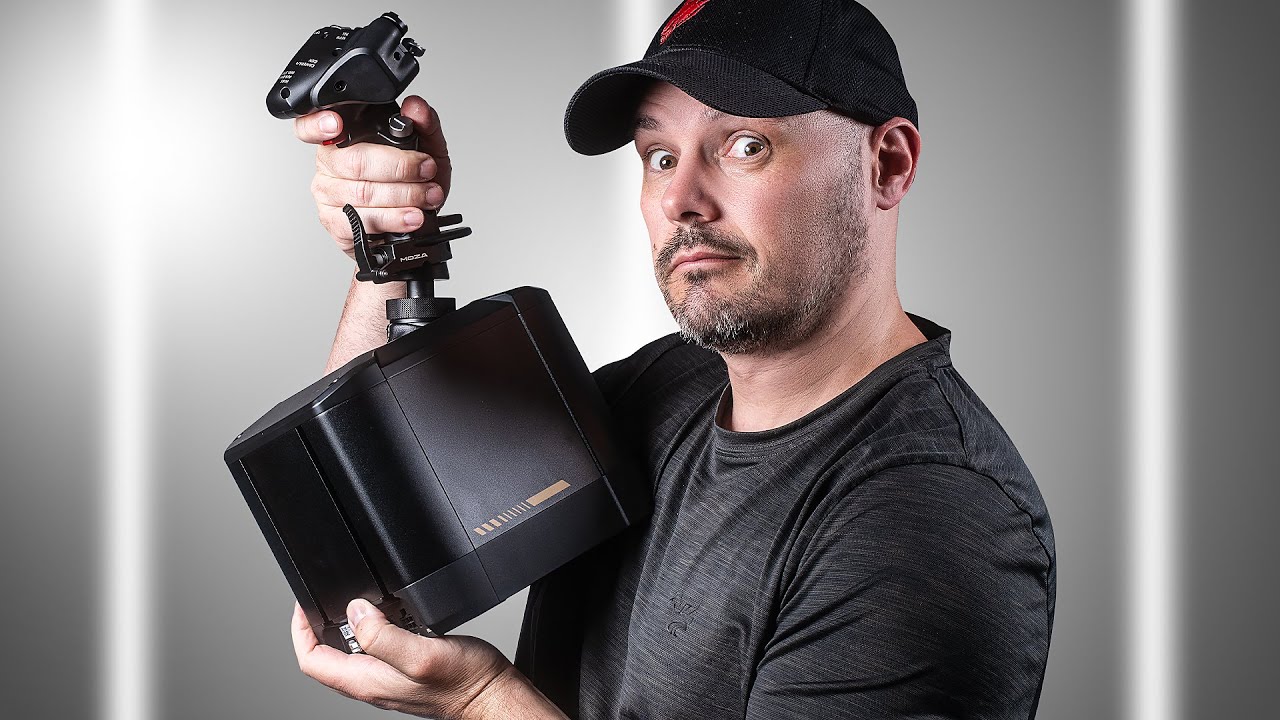
MOZA AB9 Review

Steve | G-LOC MEDIA
Flight simulation enthusiast and YouTuber
The MOZA AB9 is a full-metal force feedback joystick at around $600 that looks and feels like it should cost significantly more, with an immersive FFB experience that really shines in DCS, particularly in the F-14 and P-51 where gunfire, buffeting, and damage effects are genuinely brilliant. For Microsoft Flight Simulator users the MOZA AB9 is a slightly harder sell right now, with trim effects not working and turbulence feeling a bit robotic, though Moza's frequent software updates suggest these are temporary issues rather than permanent ones. The MOZA AB9 isn't a finished product yet, but the hardware is so good at this price point that it's very hard to look past.
Pros
- Premium full-metal build that feels far more expensive than $600
- Three force feedback modes including hybrid for a great balance of realism and game effects
- Fantastic in DCS, gunfire, buffeting, missile release and damage effects are superb
- Ground vibration on landing in MSFS is brilliantly done
- Compatible with Thrustmaster grips and other alternatives
- Moza releasing frequent software updates, trajectory is clearly upward
Cons
- Trim effects not working in MSFS at time of review
- Turbulence and wind effects feel slightly robotic rather than natural
- Grip sold separately
- Large base can cause mounting challenges — leverage issues with longer extensions
- DCS experience is very module-dependent, some aircraft have limited FFB support
- Software still needs refinement, profile saving issues and limited turbulence control
If you’re in the market for a force feedback joystick, the MOZA AB9 might already be on your radar. However, while the hardware shows immense potential, there are still some areas that need polishing—especially on the software side. This is a detailed first impressions review of the MOZA AB9 based on my experience in Microsoft Flight Simulator and DCS, two of the most popular flight simulators. If you’re wondering whether this is the flight stick for you, I’m here to give you a complete breakdown.
Pricing and Build Quality
At around $600, the MOZA AB9 positions itself as a budget-friendly option in the world of force feedback joysticks. But don’t let that price tag fool you—this stick looks and feels far more premium. The full-metal build and sleek design give the AB9 an expensive, high-end appearance. When you unbox the AB9, you’ll be struck by its smooth surfaces, attention to detail, and overall build quality.While the grip for the AB9 is sold separately, it’s compatible with Thrustmaster mounts and, with some adjustments, works well with other flight stick grips. That said, I did encounter some issues with the Virpil F-14 grip when mounted with an extension, so there’s still some fine-tuning to be done.
Mounting and Setup
The size of the base may present challenges when mounting the MOZA AB9 to flight cockpits. I found it necessary to use a 200mm extension, but this caused some issues with leverage and weakened the feel of the stick. Moza does offer a 100mm Z-Mount extension, which I expect would work better, but unfortunately, I didn’t have it on hand to test.MOZA Flight Simulation Experience
Now, let’s get into the force feedback experience of the MOZA AB9. Typically, force feedback sticks are all about transmitting effects like airspeed, turbulence, and surface deflection from the sim to the stick. This is exactly what the MOZA AB9 aims to deliver, and it does so through three modes:Direct mode, which directly reads effects from the simulator.
Telemetry mode, which uses data from the sim to generate effects.
Hybrid mode, combining the two previous modes. This is my preferred setup, as it provides a nice balance between realism and game feedback.
Microsoft Flight Simulator Performance
Using the MOZA AB9 in Microsoft Flight Simulator is mostly a satisfying experience. I tested the pre-configured Cessna 172 profile, which is available in the MOZA software, and found that the elevator’s weight at a standstill felt realistic. As the aircraft gains speed, the force feedback adjusts dynamically, making the control surfaces feel like they’re actually moving through air. It’s an incredibly immersive experience that’s hard to describe—it makes flying feel more real.One downside, though, is that I couldn’t get any trim effects to work. Despite adjusting the trim wheel in-game, the stick didn’t respond to the changes. This is something I hope Moza addresses soon, as trimming is a key reason many pilots invest in a force feedback stick.
The turbulence and wind effects in Microsoft Flight Simulator feel slightly robotic, as if they’re more like vibrations than actual changes in airflow. They’re not bad by any means, but they could use more refinement to feel more connected to the aircraft.
One of the coolest effects, though, is the ground vibration on landing. It’s super well done and adds another layer of immersion that’s hard to beat.
DCS Performance: A Different Story
When moving over to DCS, the experience was quite different. DCS is module-dependent, meaning the quality of force feedback effects varies by aircraft. In the P-51 Mustang, I found that gunfire and vibration effects were absolutely superb. The MOZA AB9 made it so enjoyable that I found myself using more ammo than I probably should!However, turbulence effects were much more muted in DCS, at least with the P-51. That said, the lack of surface control authority at low speeds felt realistic and added to the immersion. Although this control authority effect doesn’t really show itself until under 135mph.
Testing the F-16—a fly-by-wire aircraft—was a different experience altogether. The MOZA AB9 simulates the pressure-based stick movement of the real F-16, but it didn’t feel quite right to me. I think it’s still measuring movement rather than pressure, which made it hard to control accurately, as the based was seemed like it was just limiting the movement to a shorter range. Gunfire effects and other vibrations were also missing from this module.
In contrast, the F-14 was a joy to fly with the MOZA AB9. It’s packed with force feedback effects like gunfire, missile release, buffeting, and even damage effects, making it one of the most fun planes I’ve flown with this stick.
Software: A Work in Progress
The MOZA flight software shows promise but still has some areas to improve. It’s easy to use, and the hover-over explanations for each effect are helpful. However, I ran into some issues with adjusting and saving profiles, and I’d like to see better trim adjustments and more nuanced control over turbulence and air effects. Moza has been releasing software updates frequently, so I expect improvements in the near future.Final Verdict: Is the MOZA AB9 Worth It?
So, is the MOZA AB9 a worthwhile investment? If you’re primarily a DCS player, then yes—this stick is fantastic for its price, especially when considering the excellent build quality and immersive effects like gunfire vibrations and damage feedback. For Microsoft Flight Simulator users, I’d say hold off for a bit while Moza works on improving the turbulence and trim effects.At $600, the MOZA AB9 represents great value for a force feedback stick. The build quality alone suggests it could be priced higher, and while the software isn’t perfect yet, it’s clear that Moza is committed to continuous improvement.
With a few more software updates and better compatibility with sims like X-Plane and IL-2, the MOZA AB9 could easily become one of the best force feedback joysticks available today. If you’re considering a force feedback stick and don’t want to spend a fortune, the MOZA AB9 is definitely worth keeping an eye on.
Frequently Asked Questions
Affiliate Disclosure: Some links on this page are affiliate links. If you click and make a purchase, I may earn a small commission at no extra cost to you. I only recommend products I personally believe in.